logo Verdant Arcade Hub
Home Racing Action Adventure Clicker About
Sign In
U User ▾
Profile Logout
  1. Home
  2. /
  3. Space Station Docking Simulator
Space Station Docking Simulator

Space Station Docking Simulator

Developer: Seedpeak Labs
Published: 1762272000
Updated: 2026-09-30
| Skill , Simulation , Precision , Space , Educational , Strategy
Skill Simulation Precision Space Educational Strategy

Review

Space Station Docking Simulator offers a narrow but well-defined challenge: manually piloting a spacecraft to the ISS without the aid of friction or autopilot. Its NASA-inspired interface and real-time indicators make the underlying physics understandable, while the absence of downloads keeps it accessible. The game suits patient players who enjoy skill-based simulation and educational themes. Its main limitation is that the experience centers on a single core task, so those seeking variety may find it repetitive.

About This Game

Manual Docking Under Zero Gravity

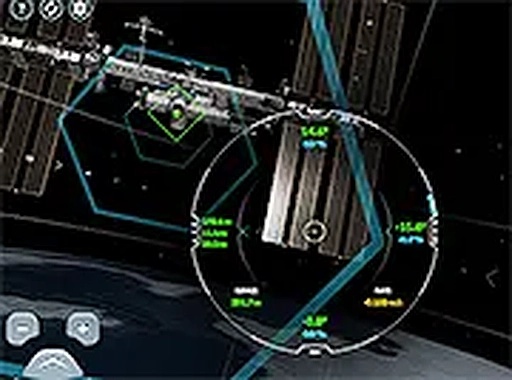
Space Station Docking Simulator is a browser-based game where you pilot a spacecraft toward the International Space Station. The objective is straightforward: match your vehicle's speed, angle, and distance to achieve a safe docking. What makes it demanding is the environment. In space there is no friction to slow you down, so every burst of thrust changes your trajectory permanently until you correct it. The game gives you a distance indicator and an angle-of-approach display, and you steer with on-screen buttons. Small, early corrections work better than large, late ones.

NASA-Inspired Interface, Accessible Controls

The interface draws from actual NASA astronaut training systems, but it has been simplified so that no special equipment or prior flight experience is needed. You can play on desktop or mobile browsers without downloading anything. A full-screen mode helps you concentrate on the instruments. Real-time feedback after each attempt shows where your approach went wrong, turning every failed docking into a learning moment. The challenge scales with your skill: as you improve, the same tools demand finer adjustments rather than introducing artificial difficulty spikes.

Who This Simulation Is For

Space enthusiasts and curious learners get the most from this game. It teaches the basics of orbital mechanics and precision piloting in a safe environment where mistakes cost nothing. Players who enjoy skill-based simulation, educational games, or strategy titles that reward patience will find a genuine test of composure. The controls are intuitive enough for newcomers to start immediately, yet the underlying physics offers depth for those who want to refine their technique over repeated sessions.


Editorial Notes

No friction, no shortcuts

Because there is no friction in space, every thrust changes your trajectory permanently. This single design choice turns docking into a test of foresight rather than reflexes, and it explains why the game emphasizes small, early corrections.

Feedback as a teaching tool

The distance and angle indicators provide immediate, concrete data after each attempt. That feedback loop is what makes the simulation educational: players can see exactly how their inputs affected the approach and adjust accordingly.

Scaled challenge, not artificial spikes

The game increases difficulty as your skill improves, but it does so by demanding finer adjustments with the same controls. This avoids sudden jumps in difficulty and keeps the learning curve smooth for players of different experience levels.

Compatibility

▸ Desktop: Chrome / Edge / Firefox / Safari
▸ Mobile: iOS Safari / Android Chrome
▸ Tablet: iPadOS Safari / Android Tablet Browser
Keep your browser updated for the best experience

Share:

Faq

Do I need any special equipment to play Space Station Docking Simulator?
No. The game runs in a web browser on desktop and mobile devices. You control the spacecraft using on-screen buttons, and a full-screen mode is available to help you focus. There is no download, installation, or joystick required.
How does zero gravity affect docking in this game?
In space there is no friction, so your spacecraft keeps moving once you apply thrust. You must actively slow down or change direction. Every adjustment has a lasting effect, which is why small, early corrections are more effective than large, last-second ones.
What do the distance and angle indicators show?
The distance indicator tells you how far you are from the ISS. The angle-of-approach display shows whether your spacecraft is aligned correctly for docking. Together they help you judge when to adjust speed and direction, and they provide feedback after each attempt.
Is Space Station Docking Simulator suitable for children?
The game is designed for players of all ages who are interested in space and simulation. It contains no violence or mature content. Younger players may need help understanding the zero-gravity physics, but the controls themselves are simple to use.
Can I improve my docking skills over time?
Yes. The game provides real-time feedback after each attempt, and the challenge increases as you become more skilled. Practicing regularly helps you build muscle memory for the controls and learn to make the small, gradual adjustments that successful docking requires.
What is the main goal in Space Station Docking Simulator?
Your goal is to manually guide your spacecraft to a safe docking with the International Space Station. You must control speed, angle, and distance carefully, because in zero gravity every movement requires precision. Success comes when you align perfectly and dock gently.

💬 Comments

0 comments
U
User
★ ★ ★ ★ ★
Please login to post a comment.
Loading comments...

⚡ You May Also Like

Locomotive Sphere Arena
▶

Locomotive Sphere Arena

Arena , Strategy , Action , Casual , Family-Friendly , Multiplayer , Single-Player , Puzzle
Geometric World Explorer
▶

Geometric World Explorer

Exploration , Strategy , Adventure , Casual , Open World , Geometric
Doodle Arena Arcade Adventure
▶

Doodle Arena Arcade Adventure

Action , Arcade , Strategy , Family-Friendly , Casual
Online Poke Arena Challenge
▶

Online Poke Arena Challenge

Arena , Action , Strategy , Casual , Multiplayer
Dragon Quest Arena Online
▶

Dragon Quest Arena Online

Arena , Action , Strategy , Fantasy , Adventure , Browser Game , Hero Management
Guardian Challenge Arena
▶

Guardian Challenge Arena

Arena , Action , Strategy , Adventure , Family , Browser Game , HTML5
Port Bus Parking Simulation
▶

Port Bus Parking Simulation

Simulation , Driving , Parking , Precision , Family , Casual
Single Wheel Racing Challenge
▶

Single Wheel Racing Challenge

Racing , Driving , Arcade , Skill , Obstacle , Reflex
Verdant Arcade Hub
Verdant Arcade Hub
Home Racing Action Adventure Clicker About
Privacy Policy Terms of Use Contact Us Disclaimer
© 2026  Verdant Arcade Hub All rights reserved.
↑

Share this page

Copy the link below to share this page: