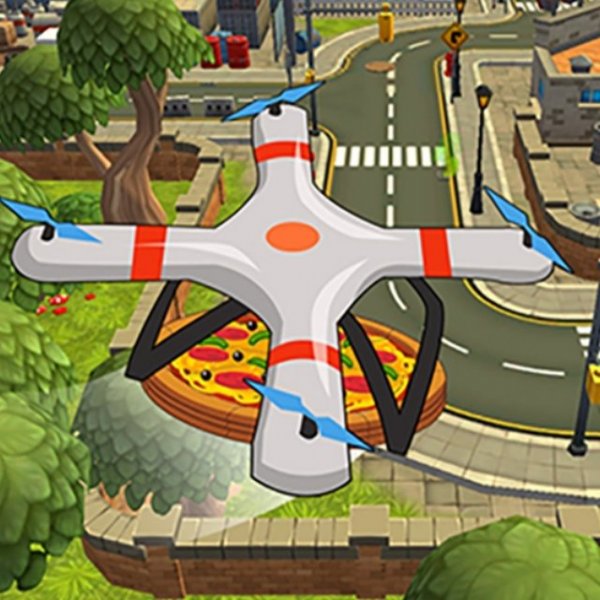
Sky Navigator Drone Trainer
Review
Sky Navigator Drone Trainer targets a narrow but real need: building muscle memory for dual-stick drone control without risking equipment. The split between vertical and horizontal joysticks is handled honestly, and keyboard support covers players who dislike on-screen sticks. Its family-friendly rating and gradual task structure suit beginners and younger users. The main limitation is scope, since the input describes a practice tool rather than a full simulation with weather or damage modeling.
About This Game
What the Trainer Teaches
Sky Navigator Drone Trainer is built around one goal: getting comfortable with the controls of a drone before flying a real one. Released in late 2023, it runs in a modern browser on PCs, tablets, and mobile devices, so a session can start without installing anything. The virtual setting removes the consequences of a bad input, which matters when the whole point is repetition. Crashes and weather are not part of the equation, so attention stays on stick discipline.
Dual-Stick Control Logic
The main challenge is a remote with two cross-shaped joysticks and several buttons. One stick handles vertical movement, meaning ascent and descent. The other handles horizontal travel, covering forward, backward, and side-to-side motion. Because those two axes are split between hands, altitude becomes a separate decision from direction. Buildings and birds are the obstacles to watch, and holding a safe height is the practical way to clear them. [IMG_1]
Modes, Missions, and Pacing
Players pick from several modes, each with its own task set and drone type. The variety keeps practice from turning into one repeated drill, and the learning curve is deliberately gradual. Assigned tasks introduce one control demand at a time, then build toward more complex maneuvers. Keyboard input works as a substitute when the on-screen joysticks feel awkward, which is a useful fallback for anyone more at home on a desktop. [IMG_2]
Who Gets the Most From It
The content is family-friendly and rated for ages three and up, so it doubles as an introduction for younger users. Full screen support gives each session more focus. Complete beginners get a structured path, while anyone with some stick time can use the missions to tighten precision. Progress is self-paced, so there is no penalty for repeating a task until the inputs feel automatic.



💬 Comments
0 comments