Art Pixel Workshop Puzzle Game
What players say
Art Pixel Workshop is a delightful pixel coloring game that combines creativity with relaxation. The cat assistant adds a friendly touch, and the step-by-step coloring process is satisfying. With multiple pictures to complete, it offers good replay value. The controls are smooth and intuitive, making it accessible for all ages. A great choice for unwinding after a busy day.
How to play
Game Introduction
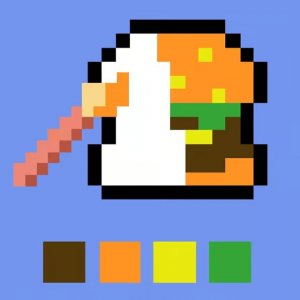
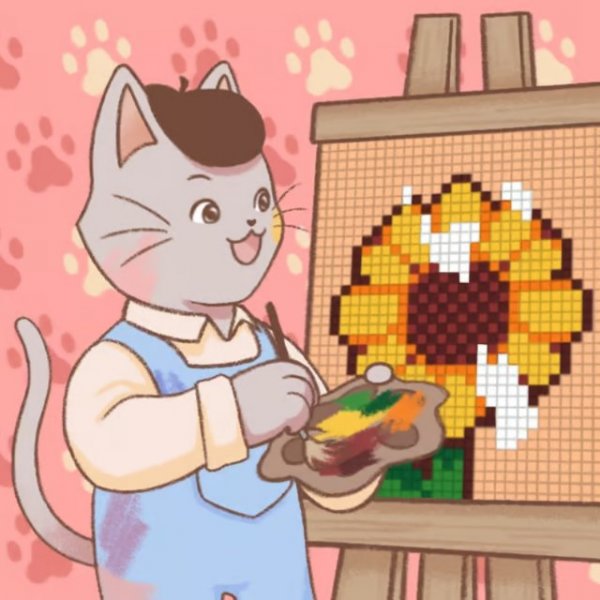
Art Pixel Workshop Puzzle Game invites you into a creative world where you assist a charming cat in creating pixel art masterpieces. The core objective is to color pixel by pixel, filling in pre-drawn outlines to complete vibrant artworks. This relaxing puzzle experience combines the joy of coloring with the satisfaction of completing a picture. Designed for all ages, it offers a peaceful escape into a world of color and creativity. The game’s unique charm lies in its simple, meditative gameplay and the presence of a cute cat assistant who sets up the canvas and prepares the drawing for you.
How to Play
Players typically start by selecting a paint color from a palette. All cells on the canvas that require that color are highlighted, making it easy to know where to apply the paint. You then click on each highlighted cell to fill it with the chosen color. Once all cells of that color are filled, you select the next color and repeat the process. This continues until the entire picture is complete. The game is controlled with a mouse, and the interface is designed to be intuitive for players of all skill levels. After finishing one image, you can move on to the next picture in the series.
Game Features
The game offers a relaxing pixel art coloring experience with a cute cat assistant. It includes multiple pictures to complete, providing hours of creative fun. The controls are simple and mouse-based, making it easy for anyone to play. There is no time pressure or complex rules, allowing for a stress-free experience. The game is suitable for all ages, from kids to adults who enjoy art and puzzles. The coloring-by-cells mechanic ensures that every pixel is placed correctly, resulting in a beautiful finished artwork.
Tips for Success
To get the most out of Art Pixel Workshop, start by selecting the color that appears most frequently in the picture to make progress quickly. Take your time and enjoy the process—there is no rush. If you feel stuck, simply pick any color and begin filling; the highlighted cells guide you. Completing one picture at a time helps maintain focus and satisfaction. Experiment with different color orders to find a rhythm that feels relaxing. Finally, appreciate the gradual transformation of the canvas as each pixel brings the artwork to life.
Compatibility
━━━━━━━━━━━━━━━━━━━━━━━━━━━━━━━━━ 📱 Play on Any Device | Chrome / Safari / Edge Recommended ━━━━━━━━━━━━━━━━━━━━━━━━━━━━━━━━━