logo Verdant Arcade Hub
Home Racing Action Adventure Clicker About
Sign In
U User ▾
Profile Logout
  1. Home
  2. /
  3. Racing
  4. /
  5. Urban Drive 3D Simulator
Urban Drive 3D Simulator

Urban Drive 3D Simulator

Updated: 2026-10-01
| Simulation , Driving , Arcade , Racing , Sports , Open World
Simulation Driving Arcade Racing Sports Open World

Review

Urban Drive 3D Simulator stands out for what it removes: traffic, police, and mandatory objectives. What remains is a physics-driven driving sandbox with multiple sports cars, each with distinct handling. The drift and burnout mechanics add depth for players who want to practice car control. The browser-based format and simple controls lower the barrier to entry. Its main limitation is the lack of structured goals, which may not appeal to players seeking races or progression systems. It best suits those who enjoy open-ended driving and self-directed challenges.

About This Game

Driving Without Interruption

Urban Drive 3D Simulator removes the usual obstacles found in city driving games. There is no traffic to weave through and no police pursuit to avoid. That design choice changes the entire rhythm of play: instead of reacting to external pressure, you decide where to go and how fast to push. The open world city is yours to explore, whether you want a slow cruise through side streets or a full-speed run down a main avenue.

Handling, Weight, and Momentum

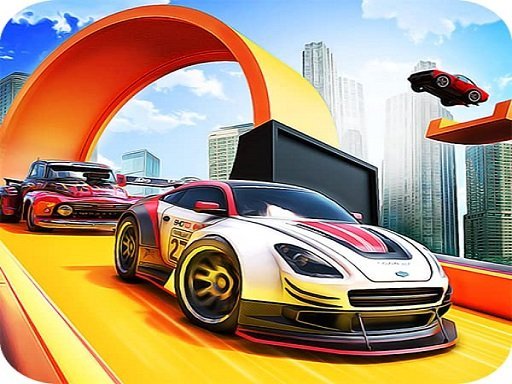
The realistic physics engine gives each car a sense of weight and momentum. Turns require planning, and sudden inputs can unsettle the chassis. This is not a game where every vehicle handles identically. Sports cars in the roster have unique handling characteristics, so switching models changes how you approach corners, drifts, and acceleration. [IMG_1]

Drifting and Burnouts

Drifting is a core part of the experience. To initiate one, turn sharply while applying the brake or handbrake, then release gradually to hold the slide. Burnouts work by holding the brake and pressing the accelerator at the same time. These mechanics are simple to trigger but difficult to master smoothly, which gives the game a skill ceiling beyond casual driving.

Controls and Accessibility

You can play with keyboard arrows or on-screen buttons. Accelerate, steer, and brake are the only inputs you need to start moving. Because the game runs directly in a web browser with no download or installation, it is accessible on most devices that support browser gaming. The lack of a fixed route means you set your own goals, whether that is practicing long drifts or simply enjoying the 3D city environment. [IMG_2]

Editorial Notes

No-pressure driving design

Removing traffic and police changes the core loop from evasion to self-directed exploration. That design choice makes the game more about car control and less about reacting to hazards, which is uncommon in urban driving titles.

Physics and car variety

A realistic physics engine combined with unique handling per car means the roster is not just cosmetic. Players who try multiple vehicles will notice differences in weight and momentum that affect cornering and drift stability.

Browser-based accessibility

Running directly in a browser with no download removes a common barrier for casual players. The on-screen button option also suggests the game is designed to work beyond desktop keyboard setups, though input method may affect precision.

✅ Compatibility & Testing

• Desktop (Windows 11, macOS Ventura)
• Mobile (iPhone 14, Samsung Galaxy S23)
• Tablet (iPad Pro, Android tablet)
✅Supported browsers: Chrome, Safari, Edge, Firefox (latest versions)
❌ Not supported: Internet Explorer, older browser versions

Share:

Faq

Does Urban Drive 3D Simulator have police chases or traffic?
No. The game deliberately excludes both traffic and police pursuits. This means you can drive anywhere in the open city without interruptions, fines, or collisions with civilian vehicles. The design supports relaxed exploration and focused practice rather than high-pressure evasion or navigation through congested streets.
Can I play Urban Drive 3D Simulator on a mobile device?
The game is browser-based and uses on-screen buttons as an alternative to keyboard arrows. That control scheme suggests touchscreen support is intended, though performance depends on your device and browser. There is no download or installation required, so you can try it directly in a mobile or desktop browser.
How do I perform a burnout in Urban Drive 3D Simulator?
Hold the brake and press the accelerator at the same time. This combination causes the driven wheels to spin without moving the car forward, producing a burnout. It is a simple input but useful for understanding how each car delivers power before you attempt more complex maneuvers like long drifts.
Are all cars in Urban Drive 3D Simulator the same to drive?
No. The available sports cars have unique handling characteristics. Some may feel heavier or more responsive than others, which affects how they turn, drift, and accelerate. Trying different models is part of the experience, and finding one that matches your driving style can make advanced techniques easier to control.
Is there a specific goal or finish line in Urban Drive 3D Simulator?
No. The game has no predetermined paths or race objectives. You drive anywhere in the open city at your own pace. The lack of a structured goal means the experience is self-directed: you set your own challenges, such as mastering drifts, exploring every street, or simply cruising without pressure.
What makes Urban Drive 3D Simulator different from other driving games?
Its main distinction is the absence of traffic and police, combined with a realistic physics engine. Many driving games rely on obstacles, timers, or competition. This one focuses on uninterrupted driving, smooth drifting, and experimentation in a safe, unrestricted environment. That makes it suited to players who want practice or relaxation rather than racing pressure.

💬 Comments

0 comments
U
User
★ ★ ★ ★ ★
Please login to post a comment.
Loading comments...

⚡ You May Also Like

Sumo Arena Bounce
▶

Sumo Arena Bounce

Arena , Sumo , Casual , Arcade , Physics , Family , Multiplayer , Bounce
Soccer Arena Champions
▶

Soccer Arena Champions

Arena , Sports , Action , Casual , Multiplayer , Soccer
Geometric World Explorer
▶

Geometric World Explorer

Exploration , Strategy , Adventure , Casual , Open World , Geometric
Crystal Path Adventure
▶

Crystal Path Adventure

Exploration , Adventure , Arcade , Casual , Family , Crystal Collection , Auto-Runner , WebGL
Droplet Expansion Arena
▶

Droplet Expansion Arena

Arena , Casual , Growth , Family , Arcade , WebGL
Doodle Arena Arcade Adventure
▶

Doodle Arena Arcade Adventure

Action , Arcade , Strategy , Family-Friendly , Casual
Arena Ball Expansion Challenge
▶

Arena Ball Expansion Challenge

Arena , Casual , Multiplayer , Arcade , Family , WebGL , Browser , Competitive
Port Bus Parking Simulation
▶

Port Bus Parking Simulation

Simulation , Driving , Parking , Precision , Family , Casual
Verdant Arcade Hub
Verdant Arcade Hub
Home Racing Action Adventure Clicker About
Privacy Policy Terms of Use Contact Us Disclaimer
© 2026  Verdant Arcade Hub All rights reserved.
↑

Share this page

Copy the link below to share this page: