Race Clicker: Drift Max
What players say
Race Clicker: Drift Max delivers a satisfying arcade racing experience. The tapping mechanic feels responsive, and drifting adds a layer of skill. Upgrading cars and unlocking tracks gives a sense of progression. The game runs well on any device and is easy to pick up. It offers good replayability for short gaming sessions.
How to play
Game Introduction
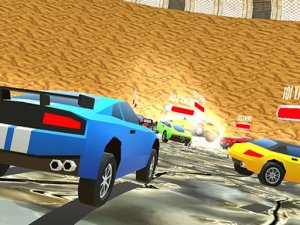
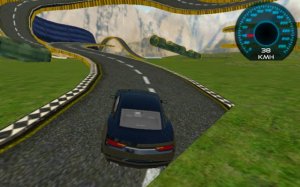
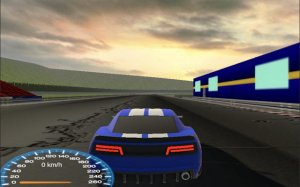
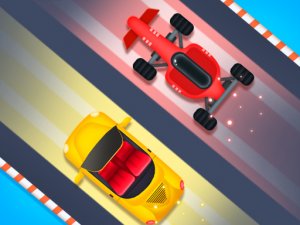
Race Clicker: Drift Max is an online arcade game that combines fast tapping with drift racing. The core objective is to control your car, earn currency by tapping, and use that currency to upgrade your vehicle and unlock new tracks. It is designed for quick play sessions, making it suitable for players who enjoy action-packed fun without complex controls. The game runs smoothly in web browsers on both desktop and mobile devices.
How to Play
To play, you typically tap or click to accelerate your car and earn in-game currency. The faster you tap, the more you earn. When approaching turns, you can use directional controls to drift around corners. Mastering the timing of your drifts helps you maintain speed and win races. The game is easy to learn but offers a challenge for dedicated players who want to improve their reflexes and strategy.
Game Features
Features include simple tap controls for speed and drifting, the ability to earn currency to upgrade your car, and the opportunity to unlock new tracks as you progress. The game works on desktop and mobile browsers, offering fast-paced gameplay suitable for short breaks. It is designed to be clean, responsive, and fun for players of all skill levels.
Tips for Success
To succeed, practice your tapping speed to maximize currency earnings. Focus on learning the timing of drifts to maintain high speed through corners. Invest in car upgrades wisely to improve performance. Regular play will help you master the controls and climb the leaderboard. Stay patient and enjoy the process of improving your skills.
❓ Having issues?
✅ This game supports: - Desktop browsers (Chrome, Edge, Safari) - Mobile browsers (Chrome on Android, Safari on iOS) ❌ Does NOT support: - Internet Explorer - Very old browser versions 👉 Try refreshing or updating your browser