Picture Palette Play
Review
Picture Palette Play offers a straightforward coloring experience that works in any modern browser. Its strengths are accessibility and a relaxed pace: no downloads, no ads, no scoring, and full touch support. The broad color palette and unrestricted section filling encourage experimentation. The lack of built-in saving or sharing means players rely on screenshots to keep their work. Best suited for families, children, and anyone seeking a low-pressure creative activity.
About This Game
Core Coloring Loop
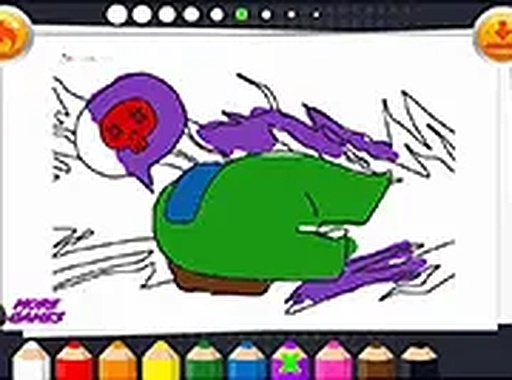
Picture Palette Play is built around a straightforward interaction: pick an outline drawing from a gallery, choose a color, and tap or click on individual sections to fill them. Each completed section reveals more of the final image, giving a steady sense of progress. The process is entirely self-paced — there are no timers, scores, or fail states. Players can pause at any point or change colors mid-image without penalty, which makes the game suitable for short breaks or longer creative sessions.
Image Gallery and Color Choices
The gallery includes a variety of pictures to color. Some feature familiar characters, while others show scenes from nature, fantasy, or everyday life. Thumbnails let players preview each option before committing, so finding a picture that matches a particular mood is quick. A broad palette is available, ranging from basic hues to softer pastels and deeper tones. Color choices are never restricted by section, and players can switch colors even after filling an area. That flexibility encourages experimentation and means each finished piece can look unique.
Browser Access and Device Support
The game runs directly in a web browser on mobile phones, tablets, and desktop computers. No downloads or installations are required. The interface adapts to different screen sizes, and a full-screen mode is available for a more immersive view. Both touch and mouse inputs are supported, so the same game works whether you are on a phone, tablet, or computer.
Family-Friendly Design and Sharing
Picture Palette Play contains no advertisements, in-app purchases, or external links. That makes it safe for children to use without supervision. The absence of timers or scoring removes any sense of competition, allowing family members to color together or individually at their own speed. Once a picture is complete, players can use their device's screenshot function to save the image. These saved pictures can be shared with friends and family through messaging apps, social media, or printed out. The game itself does not include sharing features, keeping the experience simple and private.







💬 Comments
0 comments