
Pixel Art Color by Number
Review
Pixel Art Color by Number delivers exactly what its name suggests: a straightforward, browser-based coloring experience with no timers or competition. The highlight-all-matching-cells feature is the standout mechanic, turning what could be a tedious search into a smooth, meditative process. The range of drawing sizes and color counts gives players control over session length. It is best suited to casual players, families, or anyone seeking a quiet creative break. The main limitation is inherent to the genre: once a drawing is complete, there is little reason to revisit it beyond choosing a new image.
About This Game
Matching Numbers to Colors
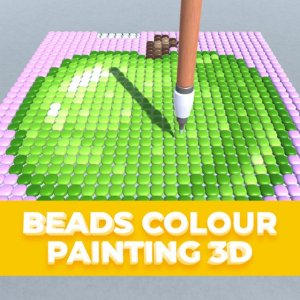
Each drawing in Pixel Art Color by Number is divided into small cells, and every cell carries a number tied to a specific shade in the palette. Selecting a number highlights all matching cells across the canvas, so you never have to hunt for individual squares. Clicking a highlighted cell fills it with the chosen color. The process repeats until the full image appears. There is no time limit, and the game is designed for enjoyment rather than competition.
Choosing Your Next Project
Before you start coloring, you browse a selection of pixel drawings. Each one lists its size and how many colors it uses, which helps you pick a project that fits your available time or preferred level of detail. Smaller drawings with fewer colors suit quick sessions, while larger ones with more shades offer a longer, more involved activity. This variety lets children and adults choose according to their patience and mood.
Tools That Keep Coloring Smooth
Zoom controls let you move between close-up work on detailed areas and a full view of your progress. If you fill a cell with the wrong color, an undo function corrects it immediately. The game runs on HTML5, so it works in any modern web browser on desktop, mobile, or tablet without downloads. A full-screen mode is also available for a more focused view.
Who It Suits and How to Start
Because the rules are simple and there is no pressure to finish quickly, the game appeals to anyone looking for a quiet creative break. Beginners can start with drawings that use few colors to learn the highlighting system, then move to more complex images. The goal is not perfection but a satisfying, low-stakes way to produce a finished piece of pixel art.




💬 Comments
0 comments