Sky City Racer Challenge
Review
Sky City Racer Challenge targets casual players who want a quick head-to-head race without complex mechanics. The aerial setting and vibrant sky cities give it a distinct look, while nitro boosts add a layer of timing strategy. The control scheme is easy to learn, making it approachable for families. Its main limitation is the reliance on two players; there is no stated single-player option, so it works best when you have someone to race against.
About This Game
Racing Above the Clouds
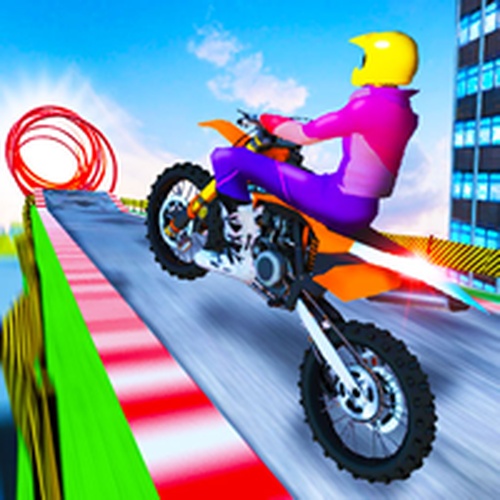
Sky City Racer Challenge places two players on elevated tracks woven through colorful sky cities. The setting is not just a backdrop: racing high above the clouds changes how you read the road ahead, and the vibrant city structures frame each course. The game is built for casual players and racing fans who want a quick head-to-head match without inappropriate content. [IMG_1]Controls and Nitro Strategy
Player 1 steers with the arrow keys and triggers nitro with a dedicated key. Player 2 uses W, A, S, D and a separate nitro key. Press R to restart a level and C to cycle camera angles. Nitro provides a temporary speed burst, so timing matters: use it on straightaways or just after sharp turns to maximize the gain. Because both racers share the same track, nitro can also be used to block or pass an opponent. [IMG_2]Two-Player Dynamics and Camera Use
Head-to-head racing means you are not just chasing a clock; you are reacting to another player's line and boost timing. Camera controls let each player adjust the viewing angle for better awareness of upcoming turns. Experimenting with camera angles can reveal track layout details that a default view might obscure. The game supports quick sessions or longer play, and its simple control scheme keeps the focus on anticipating your opponent rather than memorizing complex inputs. [IMG_3]Editorial Notes
Compatibility
💻 Desktop | 📱 Mobile | 📟 Tablet
– All supported · Best with Chrome or Safari
Faq
Can I play Sky City Racer Challenge alone?
The game is designed for two-player head-to-head racing, so a second player is required for a match. There is no mention of a single-player mode or AI opponent. If you want to race, you will need a friend to control the second racer.
What is the best time to use nitro in Sky City Racer Challenge?
Nitro gives a temporary speed burst, so save it for straightaways or immediately after sharp turns. Using it on a curve can waste the boost or send you off the ideal line. In two-player races, a well-timed boost can also help you block or overtake your opponent.
How do I change the camera angle during a race?
Press the C key to cycle through available camera angles. Adjusting the view can improve your awareness of the track ahead, especially on turns or when you need a wider perspective. Each player can change the camera independently, so experiment to find what works for you.
Is Sky City Racer Challenge suitable for children?
Yes. The game is described as family-friendly with no violence or inappropriate content. Its simple controls and colorful sky city setting make it accessible for younger players, though the two-player requirement means an adult or sibling may need to join in.
What happens if I fall off the track in Sky City Racer Challenge?
The input does not specify fall behavior or penalties. The game focuses on racing through sky city tracks, and the restart key (R) lets you reset a level if needed. For exact rules on track boundaries, check the in-game behavior directly.
Can I restart a race if I make a mistake?
Yes. Press the R key to restart the current level. This is useful if you fall behind early or want to practice a particular section of a sky city track. Restarting resets the race, so both players begin again from the start.




💬 Comments
0 comments