Pixel Number - DIY Coloring Online Puzzle Game

Review
Pixel Number - DIY Coloring is a well-designed online coloring game that appeals to both children and adults. The number-based system is intuitive, and the variety of characters keeps the experience fresh. It encourages patience and attention to detail without being stressful. The game runs smoothly on all devices and is completely safe for young players. It offers good replay value as users can color the same image again with different color schemes or move on to new pictures.
About This Game
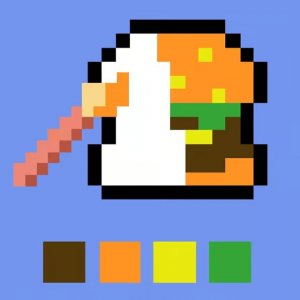
Pixel Number - DIY Coloring is an online game that combines the joy of coloring with the logic of numbers. Developed by Bravestars Games, it offers a library of images featuring popular characters like Mario, Steve from Minecraft, Sonic, and original creations such as the Cappuccino Ballerina, Shark in Sneakers, Labuba, and Sprunka. Each picture is divided into small cells, each labeled with a number. Your task is to select the color that matches the number and fill the corresponding cells. This process is both relaxing and rewarding, as it helps improve concentration and attention to detail. The game runs smoothly in any modern browser with WebGL support, making it accessible on PCs, phones, and tablets. With full-screen capability and a family-friendly design, it provides a safe and enjoyable creative outlet for players of all ages.
To begin, use the arrows at the top of the screen to scroll through different sections. Drag any section upward to see the full collection of coloring pages. Navigate to the Game section to find characters like Mario, Steve, and Sonic. The Superheroes section offers various superhero images. You will also discover unique characters such as the Cappuccino Ballerina, Shark in Sneakers, Labuba, and Sprunka. Click on any image to open its coloring page. Use the wheel to zoom in or out on the drawing. You will see numbered cells on the image. Click on the paint bucket with number 1, and then click on all cells with that number. The game highlights all areas with the same number to make the process easier. This activity requires patience and careful attention. Continue painting each number until the entire picture is filled. You can also move the paint palette to the side to see all colors and track your progress.
Fun number-based coloring system that is easy to learn. Family-friendly content with no inappropriate themes. Multiple characters including Mario, Sonic, Steve, and original designs. Simple controls that work on touchscreens and mice. Full-screen support for an immersive experience. Runs on any device with a modern browser and WebGL.
Pixel Number - DIY Coloring offers a calm and structured way to be creative. It helps develop focus and fine motor skills while providing a satisfying sense of accomplishment as each picture is completed.