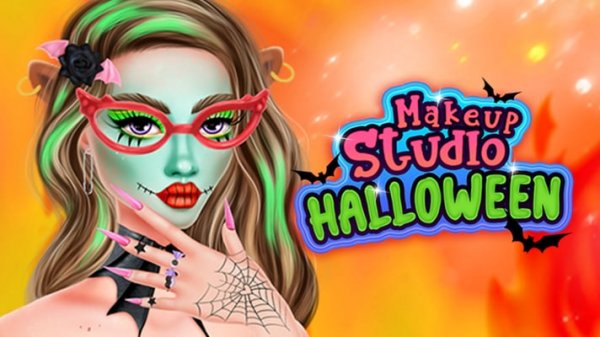
Costume Face Art Designer
Review
Costume Face Art Designer targets players who want a relaxed creative tool rather than a scored challenge. Its strengths are the layered makeup system, the color mixer that extends beyond presets, and accessories that can be rotated and resized for a precise fit. The gentle holiday themes keep it appropriate for younger players. The main limitation is that there is no progression or goal structure, so players who need objectives may lose interest quickly.
About This Game
A Makeup Kit That Responds to Your Input
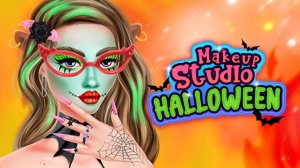
Costume Face Art Designer is a browser-based creative studio built around a virtual makeup kit. Eyeshadows, lip colors, and blushes are all available with adjustable intensity, so a single product can be applied as a faint accent or pushed toward a bolder result. Because each layer stacks on the previous one, players can build gradual gradients or sharp contrasts across the face. The interface accepts mouse clicks on desktop and touch input on mobile, which keeps application precise on either device.
Mixing Shades Beyond the Presets
The color mixer is the feature that separates this game from a simple preset palette. Instead of choosing only from what the developers included, players can blend custom shades and apply them to the character model. That opens up combinations the presets do not cover, and it rewards players who want to match a specific costume idea rather than settle for a close approximation. The mixer works alongside the standard cosmetics, so custom colors can be layered with preset products in the same design.
Accessories That Complete a Look
After the makeup stage, an assortment of hats, wigs, and jewelry is available to finish the character. These items snap onto the model and can be rotated or resized, which means the same accessory can sit differently depending on the design. A wig can be shifted to frame the face, or a hat tilted to balance the overall silhouette. The combination of cosmetics and accessories is what makes each creation distinct, and it encourages players to revisit a design and adjust rather than stop at the first result.
Themes and the Absence of Pressure
Holiday traditions inspire some of the available themes, but the tone stays light. Whimsical characters such as friendly witches and charming villains are presented without scares, which keeps the game appropriate for younger players and for anyone who prefers a gentle atmosphere. The themes act as starting points rather than fixed templates. There are no timers and no scoring system, so a session can last as long as the player wants. Finished looks can be saved to the device or shared with friends, and the game runs in desktop and mobile browsers.



💬 Comments
0 comments